
Doing some quick searching for project materials while i have some spare time today. It appears the The Online Experience continues to get worse and worse - or maybe not? here are some notes: walmart (still the redirect to error page: brick!) lowes (semi-functional? has it improved? search appears to work, most fields are visible. page-loads are slow, but apparently functional. did not test login) homedepot (semi-functional? has it improved? very slow! not able to test fully) harbor freight (page load mangled: missing page elements, no store selector, search missing. cannot test further) ace hardware (page load mangled: missing text, no working functions. end test) tractor supply(slow but functional apparently. search works. store selector works. did not test login) sadly it looks like none of the places with semi-functional websites have what i want in-stock in the stores, and i have had increasing difficulty ordering anything from any of them(aside from maybe tractor supply recently, but they dont have what i'm looking for right now). it looks like i will have to continue buying everything on amazon.com Hapy New Year!
I'm recovering from flu today. it has been a rough last day and a half.
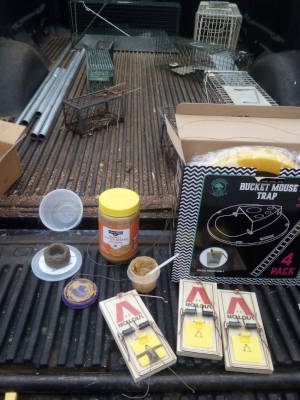
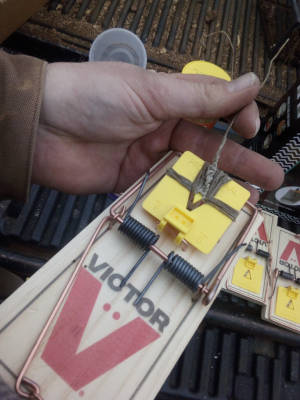
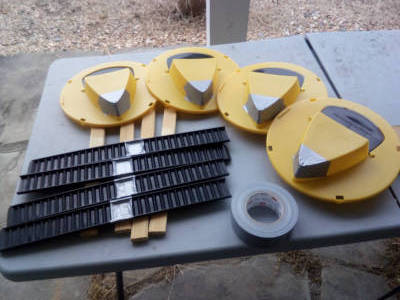
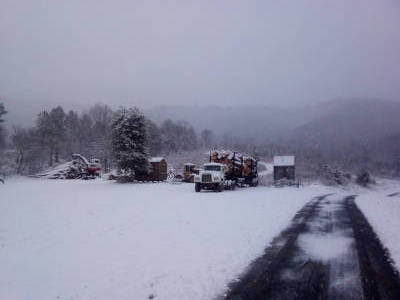
I ended up working on mouse+rat traps this afternoon after looking around in the new barn and discovering i really needed to improve my pest-control operation. The rodents had chewed the foam gasket out of my chestnut vacuum as well as ruined an extension cord, and nibbled various other project material. So I collected all my traps(most were not properly baited), and i went to the store to get peanut-butter(and some extra traps), and I went and baited and set out traps all afternoon. It takes a little longer for me because i like to tie beeswax candlewick to my snap-traps - I find it helps. I also duct-taped my new bucket traps, since i have found they tend to fall apart easily. I also ended up ordering a bunch of new traps on amazon. BTW, it appears amazon has changed their free shipping policy just in time for the holidays: no free shipping on subsequent orders following a qualifying order. Oops, i forgot to order more beeswax candlewick rolls. Luckily i had some left over. I do prefer traps over bait-stations. The whole concept of poison-bait really gives me some cognitive dissonance. I understand why people use them(it is easy), and i don't really want to make this whole post about the reasons for traps over poison-bait. I'm really just trying to journal my day. But the whole concept of bait really harms me mentally. There is plenty of evidence, if you look for it, to show that bait is harmful to the environment(and people). Traps are best, that is the end of it. Maybe i will write more on the subject another day. Anyway, the rain ended up cutting everything short, and so i didn't get a chance to finish re-baiting all my squirrel and groundhog traps - ill have to finish that later. It looks like we are also going to have to do some repairs to the bottom-seal on the big-new-barn-door(rats chewed it up). I think i will be working on pest-control for a little while. On another note, my Thinkpad seems to have trouble waking from suspend now. It's sort of finicky though and it only seems to do it when it goes to suspend due to inactivity. If i tell it to suspend and then wake it does just fine. I'll have to look into it some time. Or maybe i should just set up another computer - I guess i will need to find more desk-space. p.s. it get's slick in the rain down at the log loading site(logger went home). And last but not least, before i sign off, let me say this. if you are using poison-bait, please stop, and switch to traps. think of the owl and the fox.
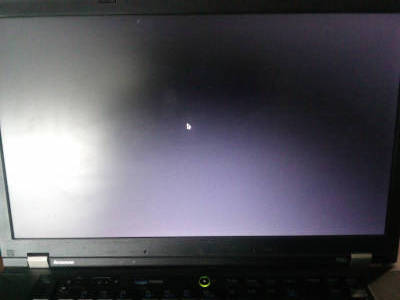

My old Thinkpad T510 is booting again in MX today! Here is a link to the forum post: Boot Fail: Black Screen After Splash(MX 23.6 Libretto *sysvinit*) plus some other excitement with Intel BIOS p.s. i'm not sure if i should trust my thinkpad now. the whole experience was kind of weird. To be honest though, i am no stranger to computer weirdness, so there. i got to go do outdoor things now.
updating mx linux this morning to hopefully fix my boot problem - "720 new updates available" in synaptic! ...this is taking awhile... ...40min(72%)...45min(90%)...47min(99%)...49min(DONE!). reboot no errors splash screen black screen type password + enter(into black screen) wifi indicator light(still black screen) screen-bright ineffective(still black screen): FAILURE reboot advanced mx 23.6 (kernel 6.1.0-41) (systemd) splash black...cursor->login SUCCESS so systemd seems to work consistently. it would be nice to get sysvinit working again. I sort of have a preference going back to when i originally started using MX - i'm not sure if my reasons are still founded. i think i need to make a post on the MX forum at this point... ...btw, the stinkbugs are going crazy today!
I got stuck recently trying to troubleshoot my old Thinkpad laptop running MX Linux 23(Libretto) after it decided to stop booting after spending some time in a bag and running down the battery. The basic story is that the screen goes black after splash screen before login screen. Upon investigation i discovered that i had some perhaps irresponsible BIOS settings(unsure if that is the cause or not, it was out in public recently). TLDR: After investigating in BIOS and GRUB, I finally have the issue partially resolved, and can log in again by picking advanced options in GRUB and selecting the systemd version of MX. So at the moment, I'm managing, however it is not a permanent solution, and i still don't know what the problem is or how to fix it yet. There is also the issue of some error messages related to the security chip, which may or may not have anything to do with the screen going black. I'm not sure when i will get around to working on this more. i'm just happy to once again be able to log into my brokerage.
error message looks like(followed by MX Linux splash screen and then black): """ x86/cpu: VMX (outside txt) disabled by BIOS ima: error communicating to TPM chip ima: error communicating to TPM chip ima: error communicating to TPM chip ima: error communicating to TPM chip ima: error communicating to TPM chip ima: error communicating to TPM chip """ - then i see MX splash-screen before it goes blank - https://forum.zorin.com/t/error-while-communicating-with-tmp-chip-and-vmx-outside-txt-disabled-in-bios/28116 https://linuxforums.org.uk/t/startup-error/11167 https://askubuntu.com/questions/1297433/vmx-outside-txt-disabled-by-bios https://askubuntu.com/questions/1178285/how-to-solve-ima-error-communicating-to-tpm-chip-messages-during-boot ...consensus seemed to be to enable VMX found it: main>security>security chip> I also enabled intel TXT feature, as well as all security reporting options. it changed the error messages though the end result was still the black screen. -v-v-v-v-v-v-v-v-v-v-v-v-v-v-v-v-v-v-v-v-v-v-v-v-v-v-v-v-v-v note: VMX=(Virtual Machine Extensions) https://www.intel.com/content/dam/www/public/us/en/documents/manuals/64-ia-32-architectures-software-developer-vol-3c-part-3-manual.pdf https://superuser.com/questions/1584771/what-is-difference-between-vmx-and-vt-x https://en.wikipedia.org/wiki/X86_virtualization#Intel-VT-x "adds 13 new instructions: VMPTRLD, VMPTRST, VMCLEAR, VMREAD, VMWRITE, VMCALL, VMLAUNCH, VMRESUME, VMXOFF, VMXON, INVEPT, INVVPID, and VMFUNC. These instructions permit entering and exiting a virtual execution mode where the guest OS perceives itself as running with full privilege (ring 0), but the host OS remains protected." IMA = (Integrity Measurement Architecture) https://docs.trustauthority.intel.com/main/articles/articles/ita/tpm-ima-logs.html https://www.intel.com/content/www/us/en/developer/articles/community/runtime-integrity-measure-and-attest-trust-domain.html TPM=(Trusted Platform Module) https://en.wikipedia.org/wiki/Trusted_Platform_Module VMX and TPM settings seem to be in the same window in BIOS TXT=(Trusted Execution Technology) https://en.wikipedia.org/wiki/Trusted_Execution_Technology -^-^-^-^-^-^-^-^-^-^-^-^-^-^-^-^-^-^-^-^-^-^-^-^-^-^-^-^-^-^ new error: """ x86/cpu: VMX (outside TXT) disabled by BIOS DMAR: DRHD: handling fault status reg 3 DMAR: [DMA Write NO_PASID] Request device[00:02.0] fault addr 0xc4e3848000 [fault reason 0x05] PTE Write access is not set """ I also discovered that intel AMT was on, as well as flash-over-LAN but no password set. It must have been like that since i bought it(used). did i connect to a public wifi with AMT enabled? is this a problem? ...it seems like i've exhausted options from within BIOS. i found some posts recommending modifying boot options in GRUB. time to read up about GRUB: https://bbs.archlinux.org/viewtopic.php?id=230362 https://bbs.archlinux.org/viewtopic.php?id=230156 https://wiki.archlinux.org/title/Kernel_parameters -v-v-v-v-v-v-v-v-v-v-v-v-v-v-v-v-v-v-v-v-v-v-v-v-v-v-v-v-v-v https://www.kernel.org/doc/Documentation/Intel-IOMMU.txt DMAR = DMA Remapping DRHD = DMA Remapping Hardware Unit Definition https://www.intel.com/content/dam/develop/external/us/en/documents/intel-whitepaper-using-iommu-for-dma-protection-in-uefi-820238.pdf IOMMU = Input/Output Memory Management Unit DMA = Direct Memory Access https://www.intel.com/content/dam/www/public/us/en/documents/solution-briefs/scalable-trust-provisioning-solution-architecture-brief.pdf PTE = Platform Trust Enable ... btw, gnu.org appears to be down - i seem to remember this has been an issue recently: https://www.gnu.org/software/grub/manual/legacy/Command_002dline-and-menu-entry-commands.html "Forbidden You don't have permission to access this resource." ... -^-^-^-^-^-^-^-^-^-^-^-^-^-^-^-^-^-^-^-^-^-^-^-^-^-^-^-^-^-^ copying from above(adding "intel_iommu=off" to GRUB linux params) seems to have no effect(still blank screen, though at least i am learning more about BIOS and GRUB i guess). It appears i had Intel AMT turned on by accident as well as LAN BIOS flash enabled - Oops! I hope this doesn't mean i was vulnerable to modification via wifi? it sort of sounds like i does? I'm pretty sure these settings were the same since when i bought the laptop used back in like 2016, and i don't think i ever changed them. I've never had a problem before, though the laptop has lived on my desk at home for almost a decade, and has also gone long stretches on the shelf powered down. i think i updated it once a few years ago, but i didn't modify BIOS at that time. Today was the first time turning on the machine since it went out in public with it for the first time(probably ever). -v-v-v-v-v-v-v-v-v-v-v-v-v-v-v-v-v-v-v-v-v-v-v-v-v-v-v-v-v-v Reading up more, it appears the above errors are related to some intel ME/AMT processes: https://people.csail.mit.edu/devadas/pubs/part_1.pdf AMT = Intel Active Management Technology https://en.wikipedia.org/wiki/Intel_Active_Management_Technology https://en.wikipedia.org/wiki/Intel_Active_Management_Technology#Known_vulnerabilities_and_exploits ME = Intel Management Engine https://en.wikipedia.org/wiki/Intel_Management_Engine https://en.wikipedia.org/wiki/Out-of-band_management interesting(perhaps unrelated here, though worth considering existence of hardware switches to enable/disable harware modules: RMM4 = Intel Remote Management Module 4 ...installed on hardware pin-I/O ...also perhaps worth looking for BIOS clear/recover and password clear hardware jumper blocks to get out of trouble - it seems like something useful to have on a PC with security features built in): https://cdrdv2-public.intel.com/840672/S1200SP_TPS_R1_1_S1200SPL_S1200SPS_S1200SPO.pdf -^-^-^-^-^-^-^-^-^-^-^-^-^-^-^-^-^-^-^-^-^-^-^-^-^-^-^-^-^-^ ...Here are some more forum posts for people with similar problems, though in the end none of these solutions worked for me: https://askubuntu.com/questions/1297433/vmx-outside-txt-disabled-by-bios https://answers.launchpad.net/ubuntu/+question/701672 https://forums.linuxmint.com/viewtopic.php?t=323353 Note, at this point i made a new install USB and had success booting from USB, however i cant seem to view contents of my hdd now(authentication fails). the more i read the more suspicious i get that i encountered some sort of rogue protocol via Intel AMT, and it has screwed up some mystery boot settings. https://forums.linuxmint.com/viewtopic.php?t=354480 after disableing everythgin in BIOS i got the following message: """ intel(r) me unconfiguration in progress """ ... though i still get the same bad error messages and blank screen maybe my TPM accidentally wiped my HDD? i disabled Security chip and i also permanently disabled anti-theft and computrace still same blank screen though now errors about "VMX (outside txt)..." and "...TPM chip" are no longer present. there are still the errors about "DMAR: DRHD: handling fault status reg 3" and "DMAR: [DMA Write NO_PASID] Request device[00:02.0] fault..." now trying the "intel_iommu=off" in linux params within GRUB no errors that time but still the blank screen - it actually appears to be an issue with screen brightness. i noticed earlier when the setting sun shown upon the blank screen i could see a faint shape changing as i pressed Tab(no sound). suspected hdd corruption issue(similar symptoms to mine "...bad block on the drive...") https://forum.mxlinux.org/viewtopic.php?t=84388 not actually about failed boot. reinforces suspicion errors are not related to my boot fail: https://forums.linuxmint.com/viewtopic.php?t=391808 not sure about this one, it just looks like someone trying to screw up their computer, and having resulting problems with the security chip(no answers here): https://forum.thinkpads.com/viewtopic.php?t=22224 except this gem: "Uh-oh. Disabling the security chip while any HDD protection or encryption is active ... I get the chills just thinking about it." black screen, updating kernel helped: https://forums.linuxmint.com/viewtopic.php?t=405349 i think i reset the security chip. did i basically wipe my HDD then? i'm not sure i had anything valuable on there anyway, i had been mostly operating off a usb stick. perhaps the best thing to do is simply install the new version of MX Linux. ...let me try a few more things before i try reinstalling things... https://unix.stackexchange.com/questions/329926/grub-starts-in-command-line-after-reboot https://askubuntu.com/questions/665674/what-is-help-command-in-grub-rescue-mode this post is actually very similar to me(balck screen & same OS, though no errors), suggest advanced system-d boot option in GRUB: https://forum.mxlinux.org/viewtopic.php?t=83676 GRUB>advanced>systemd = SUCCESS!!! what the hell! related posts?: https://itsfoss.community/t/mx-linux-boot-problems/12514 suspect "session saver" https://forum.mxlinux.org/viewtopic.php?t=73169 "..hit 'e' in the grub menu and add nomodeset as a parameter after 'quiet splash'.." try reboot, no luck reboot again, and select advanced->systemd SUCCESS AGAIN! https://www.linux.org/threads/black-screen-after-first-boot-up-menu.32246/ adding "nomodeset" in boot params... """ failed to disable graphics turbo failed to disable graphics turbo failed to disable graphics turbo failed to disable graphics turbo failed to disable graphics turbo """ fail booting with systemd seems to fix the problem consistently, so at least i can get in and do my business for now, but i need to figure out how to fix this permanently.
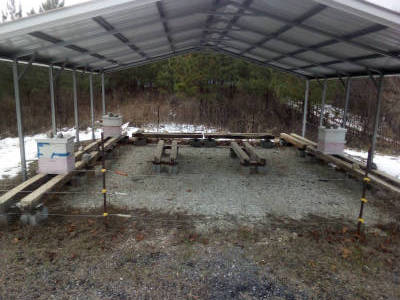
The weather guys got it right for once: last night was cold(13°F to be exact), though sadly it wasn't enough for skating ice this morning, and it looks like temps will be higher for the rest of the week. I did get a chance to put some more food on my bees. I'm trying to use up some foamy honey i didn't want to sell. Tap-tests were encouraging, though it is still somewhat pathetic right now with only three hives. i also got a chance to look around some more at the current pine harvest. It is some impressive machinery they use, and the place is looking pretty different. It will be 30 years until it's back to the way it was, but that is the nature of the forestry business.
















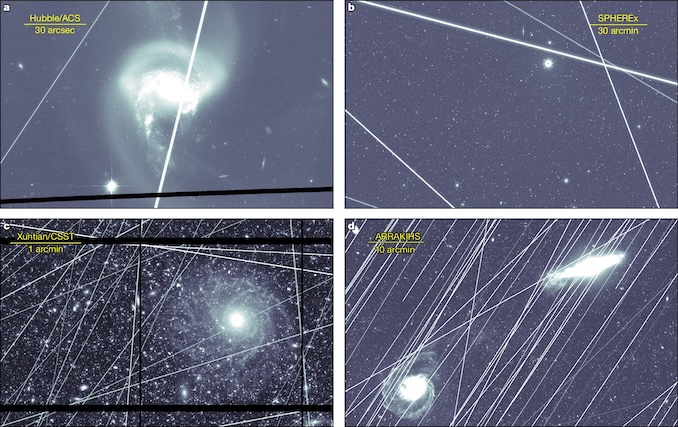
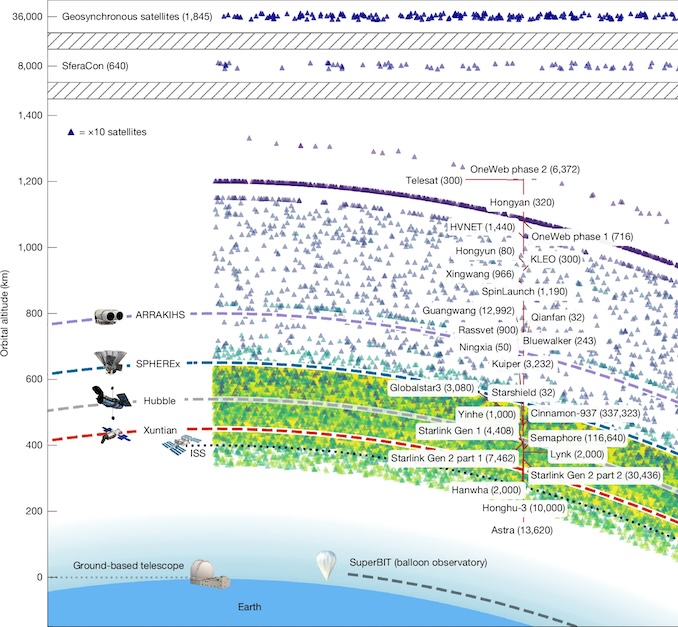
In Today's News Feed: Study: Current, future megaconstellations risk space-based astronomy
I'm still eagerly waiting for them to unveil the new Viasat geosync services: It looks like the new satellite has launched! I hope the antenna deploys this time - what's the chance of failing twice in a row? ...perhaps worth noting ULA did this last launch(as apposed to SpaceX).
So much for the 1-3 inches of snow that was forecast as of last night. Thank you Donald Trump for firing all the so wasteful people at the National Weather Service!XD
It appears i was able to get back full function on UVACCU today by switching to Basilisk. Meanwhile Atlantic Union's website is still not working all that well. I still can't view my statements, and going into settings seems to crash some javascript function. Testing in SeaMonkey i can't get past the home-page. On a positive note, it appears they will disable round-up savings if i ask. Perhaps it is a no go? That is too bad, since I was hoping to have a backup bank since i am still planning to quit Wells Fargo. I'm pretty bummed about them raising their minimum balance to $1,500 recently as well as already being bummed about how they keep closing down their local branches. I guess that just leaves Bank of the James or Truist as my only other options. The error message from bankofthejames doesnt give me much confidence, though i guess it loads on basilisk, but i'm kinda spooked at this point. i guess i'll have to try out truist? is it worth my time to try and get atlantic union to fix their website?


On a side note, I need to get a money market account! here are a few comparisons i found with the respective banks i'm interested in: atlantic union has a somewhat ok rate for their money market accounts(2.4%apy): meanwhile UVACCU offers an unbelievably enticing deal for new/small account holders(4%apy): wells fargo appears to want a $5k minimium for similar rate CD(withdrawal penalties): truist offers a flat 3.4%apy: bankofthejames doesn't list an APY: p.s. p.s.p.s You sort of have to give wells fargo credit for continuing to have a functioning website. it sort of makes you scratch you head. what monkeys are writing the websites for these other banks? i left a detailed note with atlantic union describing the issue. we will see if they fix it. otherwise i guess i will try truist. i have been meaning to quit wells fargo for a long time.
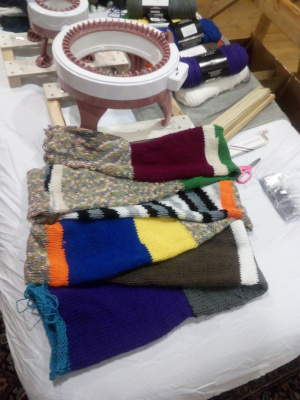
With all this bad weather lately, and the impending holiday season, I decided to break out my toy knitting machines and attack the boxes of yarn i have here. I think i am starting to figure out the various tricks and getting more efficient at the machine, in addition to amassing various knitting gear. I am still suffering with recurring tendonitis in both my wrists these days, and so I'm not sure if i will be able to finish all these tubes i am making personally - we will see what happens. Here are some progress shots(I'm leaving plenty of excess on each section, tucked away inside the tube, and i still need to separate all the pieces - you can see it is all one tube.):
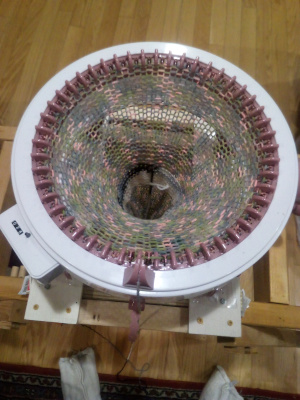
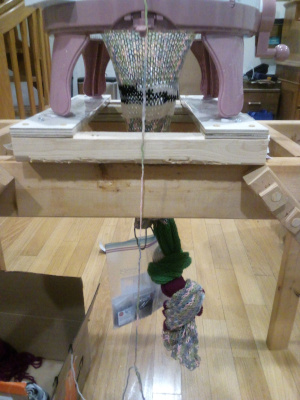
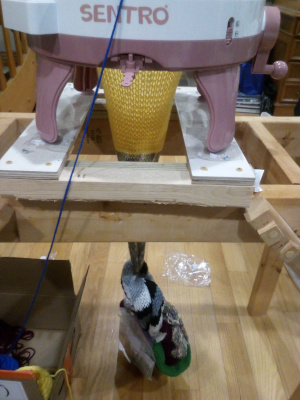
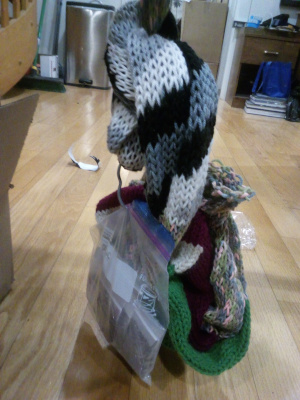

I decided i better save some notes related to stretchy bind-offs and grafting, just so i remember how to do it incase i end up finishing some of the knit pieces myself. Here are some pages i found about stretchy bind-offs: and here are some pages for knit grafting: Even with the machine it is still slow-going. I didn't time myself(because my watch strap broke), though i think it took me about 3 hours for 6 unfinished tubes last night(minus a break for dinner). They sell little drill adapters to make it go faster, however it seems like a good way to make a jam, and maybe break the machine.
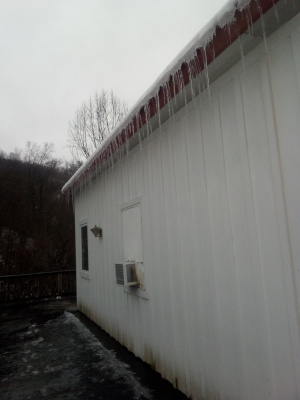
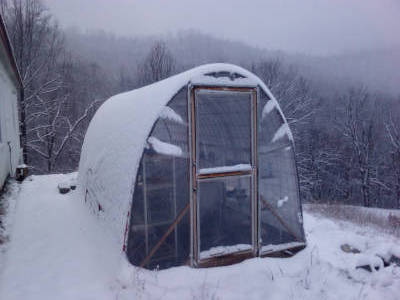
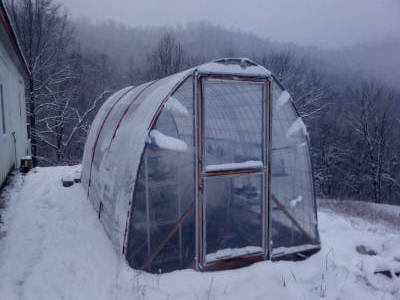
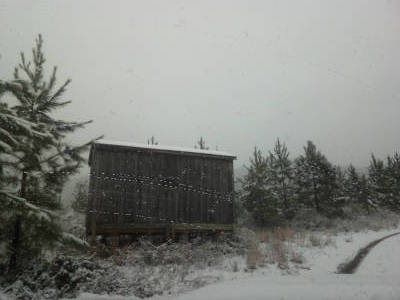
The loggers arrived to start on a pine harvest. The trees are going to market(mostly for telephone poles), however in the process we have learned that pine market has taken some hits in recent years, and many local mill no longer accept pine or have closed down. We are going to have a big decision this winter to figure out if we want to replant with a new stand of pine, or switch to another selection of species - very exciting! The snow also arrived - i feel like it is slightly early from what i am used to recently. My DIY plow seems to work adequately, and the greenhouse is holding up - i need to do some stuff related to that actually. The deck is holding up too, though it ended up being significantly colder and cloudier today than forecast, and so the snow is very crusty and hard to remove. The old shed on the back road is still there. I lifted it up onto blocks two summers ago, and i patched the roof this past summer. Also, i ran into another college friend at a holiday event, and he tipped me off to a fun fact(which i guess i sort of already knew, but i guess i had just not quite clicked yet) in relation to my recent discoveries i made around poor web experiences. Basically, he said his employer(and i suspect many others) are having AI write the code these days for various websites they contract for. So I guess i can now comfort myself knowing that there isn't some bad developer on the other end of my tech issues, but rather a heartless computer model regurgitating some gobbledegook it was trained to do. Right, don't forget someone has to train the AI to do whatever it does. So who decided to version check browsers and refuse all but chrome, safari, and edge? i guess it explains why it is replicating so fast though - it's basically AI copy-pasta.


I decided to sit down this morning and attempt to do some online shopping, however, i think perhaps i have come to the conclusion that i cannot shop online anymore. Note ebay.com and amazon.com still work(tested on firefox-esr, pale moon, basilisk, and seamonkey). however worth noting that both ebay and amazon now have less than 2 stars averages on both trustpilot.com and consumeraffairs.com(amazon is slightly higher than ebay). i did some further investigating, and it basically appears(at first glance) that all top-search-google results seem to only get poor review on trustpilot and consumeraffairs. Perhaps this should put my former opinion of paypal in perspective, however i think i have good reasons personally to steer clear from them at this point.


So, where do i shop if it seem that nowhere is good now - and plenty of places don't even seem to have working websites anymore(unless you subscribe to Big Tech)? Funny, Zoro.com appears to have a good average on truspilot, however there site no longer works on goanna and gecko browsers(tested again on firefox-esr, pale moon, basilisk, and seamonkey).


...i guess i just have to wing it with amazon or ebay? maybe i just stop buying things online? ...p.s. here is another cloudflare gore from the other day(i forget wherefrom):

I saw this on my newsfeed this morning: Scientists Teleport Entanglement Across Two Linked Quantum Networks in Historic First this is a really bad article - basically no decipherable useful information. Scientists just teleported information using light: Quantum teleportation between separate quantum dots marks a major leap toward a real quantum internet. "...Earlier research had already shown that entanglement between quantum dot photons can survive a 36-kilometer transmission through the city center of Stuttgart. The team also aims to increase the teleportation[**propagation**] success rate, which is currently a little above 70%. Variations within each quantum dot still cause small inconsistencies in the photons..." so it's basically the same study from a few years back, which also had a misleading title, and didn't actually involve 'teleporting' anything. So basically they are continuing research into fiber-optic signal propagation, and still with only 70% success! It seems to be that any time i hear the word 'quantum' in a science news article it turns out to be something somewhat less impressive than what the title claims - I feel like this has been the rule all along. ...it's just kind of troubling how scientist at elite institutions appear to be overtly trying to mislead people these days - maybe that's not new. Ha! - security warning teleport / ˈtɛlɪˌpɔːt / verb (tr) (in science fiction) to transport (a person or object) across a distance instantaneously "...There is no known physical mechanism that would allow for teleportation.[3] Some scientific papers and media articles describe 'quantum teleportation', a scheme for quantum information transfer, which does not allow for faster-than-light communication.[4]..." [3] [4] "Quantum teleportation is a technique for transferring quantum information from a sender at one location to a receiver some distance away. While teleportation is commonly portrayed in science fiction as a means to transfer physical objects from one location to the next, quantum teleportation only transfers quantum information. The sender does not have to know the particular quantum state being transferred. Moreover, the location of the recipient can be unknown, but to complete the quantum teleportation, classical information needs to be sent from sender to receiver. Because classical information needs to be sent, quantum teleportation cannot occur faster than the speed of light..." ...cannot occur faster than the speed of light... I feel like medical doctors also have problems with the english language. Physicists are also kinda fancy, so maybe no surprise here that they have the same problem. anyway, it's a nice sunny day today. i don't want to waste it!
I had a nice visit from an old college friend over the holiday weekend, and did a little hiking on my local section of the A.T. Fortunately the weather stayed clear long enough for us to make it too the overlook. What a workout! Also pretty cold.

I got into a discussion over the holidays about one of my pet topics-of-study: voting methods. It reminded me i have been wanting to go save a few tabs: First in line: Ka-Ping Yee ** seems to have trouble displaying in gecko/goanna browsers today** here is the archive: and the latest snapshot and here is the voting-sim snapshot:


"...In all the images, the x-axis ranges from -0.25 to 1.25 (left to right) and the y-axis ranges from -0.25 to 1.25 (bottom to top). The Gaussian distribution of voters has a sigma of 0.5. ..." here is the old post that originally tipped me off about Ka-Ping's work(2016 - interactive!):


The data is sort of represented inversely in the ncase post as apposed to the yee diagrams, with individual ncase voters represented on a plane, verses the yee diagram assuming each point in a plane as an outcome given a gaussian distribution of voter preference centered on a position relative to the various candidates as represented by their positions in the same plane(i wont copy all the pics, it's interactive!). here is some more analysis from rangevoting.org: Neat Javascript Simulator: another nice in-browser simulator: nice(covid-era) interview with Ka-Ping and Aaron Hamlin: Deep Dive: Voting Diagrams with Ka-Ping Yee ...further reading / save tabs... ** no longer displays on non-chromium/non-webkit browsers (actually success on basilisk, though still a problem here)** ** () also doesn't seem to work on non-chrom**